AniPlay
AniPlay is a Material You-inspired desktop anime browser and player. It bundles AniList discovery, list management, profile statistics, achievements, local watch history, downloads, optional Discord Rich Presence, and a built-in Watch Together room system on top of six third-party playback catalogs.
The application is built with Electron, React, TypeScript, Vite and Tailwind CSS (Material 3 styling). Windows is the primary supported platform; an Electron Builder Linux target is available for testing, while macOS packaging is not configured.
AniPlay does not host anime or video files. Search results and playback links come from third-party providers, so availability and compatibility can change independently of the app.
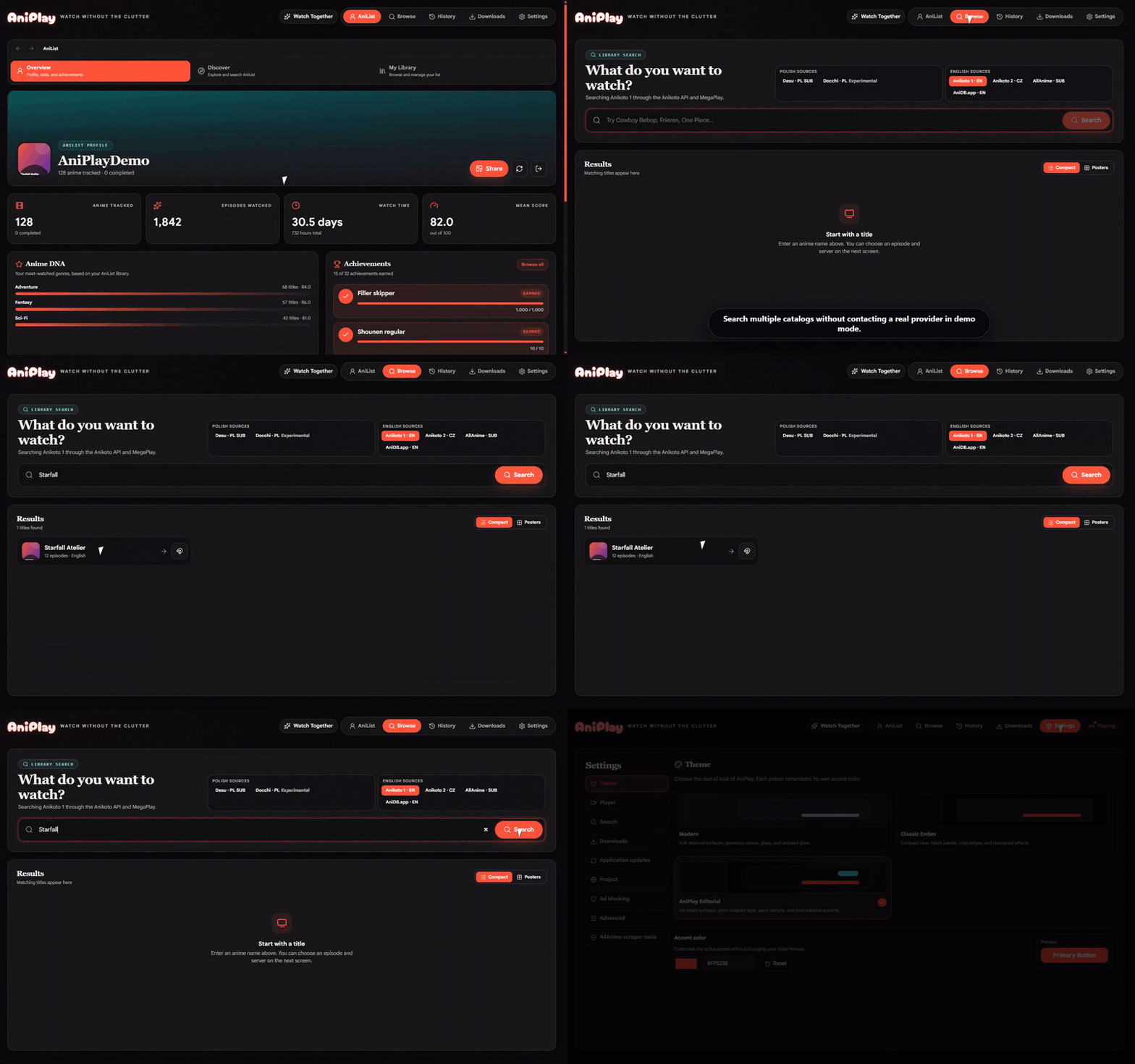
At a glance
| Capability | Where to look |
|---|---|
| AniList sign-in, library and profile | AniList workspace (AniList tab) |
| Anime browsing across six catalogs | Browse tab |
| HLS / native browser playback | Player tab |
| Watch Together rooms (10-char codes) | Player tab → Watch Together button |
| Torrent streaming via WebTorrent | Player tab → Try torrent button |
| Downloads (single job, FFmpeg-backed) | Downloads tab |
| Profile card export (PNG, 1200×630) | AniList → Profile → Export |
| Discord Rich Presence | Settings → Player → Discord Rich Presence |
| Auto-updates for Windows installer | Settings → Updates |
Features
Browsing and playback
- Compact-list and poster-grid layouts for catalog search.
- Five playback catalogs: Anikoto 1 (default), Anikoto 2, AniDB.app, Desu (Polish), Docchi (Polish, opt-in for adult).
- Direct HLS / video playback in the native player or supported embedded players; switch servers, resolutions, subtitles, and sub/dub on the fly.
- Picture-in-picture, optional native browser controls, and a system-browser fallback when AniPlay cannot resolve an in-app stream.
- Resume from a local history (up to 100 entries in Chromium local storage).
- Provider-specific remote notices surface outages and compatibility changes.
Torrent streaming
- Opt-in magnet streaming from a Nyaa RSS-backed search, ranked by trusted uploads, seed count, resolution, codec, and exact episode match.
- Stream MP4 / WebM / M4V directly inside AniPlay; configure
mpvfor MKV containers Chromium cannot play. - Live peer count, transfer speeds, and selected-file progress.
- Configurable cache folder, cache size, deletion policy, bandwidth limits,
and
mpvpath under Settings → Downloads.
AniList integration
- Public dashboard with trending, seasonal, and upcoming anime.
- Anime details, descriptions, genres, relations, recommendations, and airing information.
- Add / update / remove list entries with status, progress, score, and repeat controls.
- Automatic playback-catalog matching with confidence-ranked manual correction and persisted AniList-to-provider mappings.
- Profile page with biography, favourites, totals, mean score, watch time, Anime DNA genre statistics, and 32 achievements.
- Locally generated 1200×630 profile cards in Hero and Stats styles.
Watch Together
- Create ephemeral rooms from a direct video or HLS source, or join with a 10-character room code.
- Synchronized host play, pause, seek, episode, and sub/dub changes; each participant resolves their own provider stream.
- Reconnect after network interruptions, transfer control to the longest
connected guest after a 10-second host absence, and copy
aniplay://watch/<code>invites.
Downloads and desktop integration
- Single-job download queue (MP4 via bundled FFmpeg); choose the folder, monitor progress, cancel / retry, clear finished, and reveal files.
- Configurable embedded-player ad blocking (EasyList-only through stricter uBlock-based presets).
- GitHub-backed update checks and in-app update installation for packaged Windows installer builds.
- English and Polish interface languages, custom accent colors, notification sounds, and safe graphics mode.
Quick start
npm install can be used during dependency development, but npm ci is
preferred for a reproducible checkout. The dev script starts Vite, the Electron
main process, and the preload bundle together.
Build a packaged binary
npm run build:ui      # type-check + Vite production bundle
npm run pack:dir      # unpacked Win32 dir (fast iteration)
npm run pack:portable # portable .exe for redistribution
npm run pack:linux    # AppImage + tar.gz
See the Installation guide for the full list of supported commands and their outputs, and the Architecture page for how the renderer, preload, and main process fit together.
Community and issues
- Discord — discord.gg/9SXX6ddpNR
- Issues — github.com/vorlie/AniPlayV2/issues
- Releases — github.com/vorlie/AniPlayV2/releases/latest
- License — GNU GPL v3
Where to next?
-
:material-rocket-launch: Install AniPlay
Prerequisites, package manager notes, and a tour of every build command.
-
:material-book-open-variant: Usage guide
UI walkthrough, settings, keyboard tips, and provider switching.
-
:material-sitemap: Architecture
Electron processes, IPC, Vite plugin chain, and component layout.
-
:material-lifebuoy: Troubleshooting
Common errors, platform quirks, native modules, and FAQ.