01
Browse with context
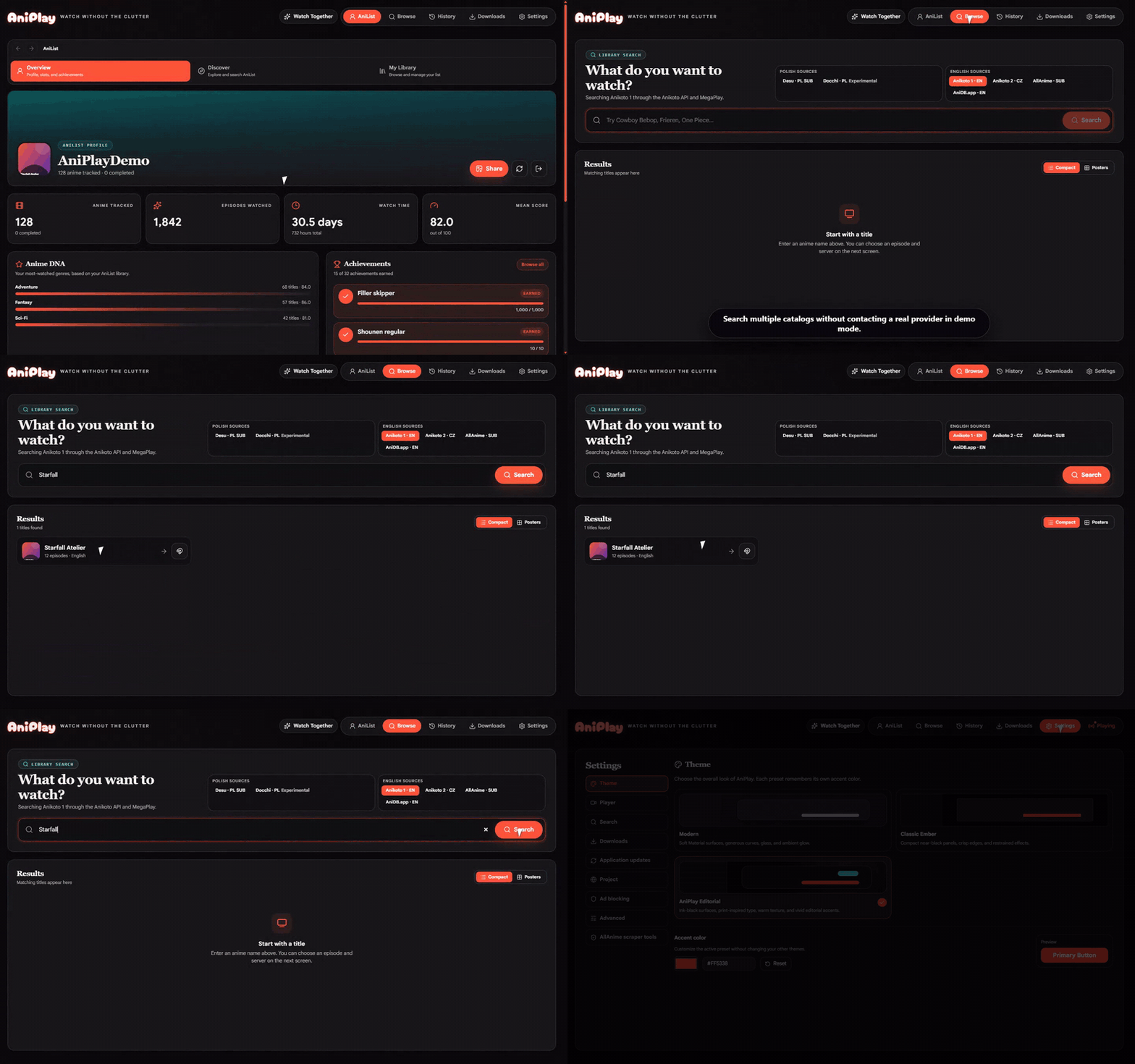
Search provider catalogs, explore AniList trends and relations, then match the exact season with confidence-ranked mappings.
AniList dashboardSeason-aware resultsGrid or compact view
Desktop anime, thoughtfully assembled
AniPlay brings discovery, provider-aware playback, AniList, downloads, and synchronized rooms into one focused desktop app.
 AniPlay
Everything you need.
Nothing you don't.
One app, complete flow
AniPlay keeps discovery, playback, progress, and people connected without turning your desktop into a maze of tabs.
Search provider catalogs, explore AniList trends and relations, then match the exact season with confidence-ranked mappings.
Native HLS and video, provider embeds, quality selection, subtitle tracks, PiP, and persistent resume history.
Queue compatible sources, follow live FFmpeg progress, retry failures, and reveal completed episodes from the app.
Sync AniList progress, inspect genre DNA and watch-time statistics, unlock achievements, and generate shareable profile cards locally.
Real interface, synthetic data
This deterministic showcase is generated from AniPlay's demo mode. No provider traffic, account data, or copyrighted footage.
Provider-aware by design
Providers are kept separate, with honest capability differences and visible fallbacks. AniPlay never hosts the media it discovers.
Availability, native playback, subtitles, and downloads vary by provider, episode, region, and network.
Watch Together
Create a room from a controllable source and share a short code. AniPlay coordinates playback while every participant resolves media locally.
Local where it matters
AniPlay is explicit about what stays local and which services a feature contacts. It does not operate a hidden media backend.
Resume state, viewing events, preferences, and achievements stay in app data.
AniList authentication uses Electron secure storage when the platform provides it.
Provider sessions, headers, and fallbacks are scoped rather than applied globally.
Peer-to-peer playback starts only after consent and exposes its network implications.
Optional peer-to-peer playback
Search ranked Nyaa releases, inspect seeders and file matches, then stream browser-compatible containers locally—or hand MKV to mpv.
Built in the open
Electron, React, TypeScript, Vite, and a provider architecture documented for contributors and neighboring projects.
# Clone and start AniPlay
$ git clone https://github.com/vorlie/AniPlayV2.git
$ cd AniPlayV2/ani-cli-gui
$ npm ci
$ npm run dev

# Validate a change
$ npm test
$ npm run lint
$ npm run build:uiReady when you are
Download AniPlay, connect AniList if you want to, and make your desktop feel like your own.